
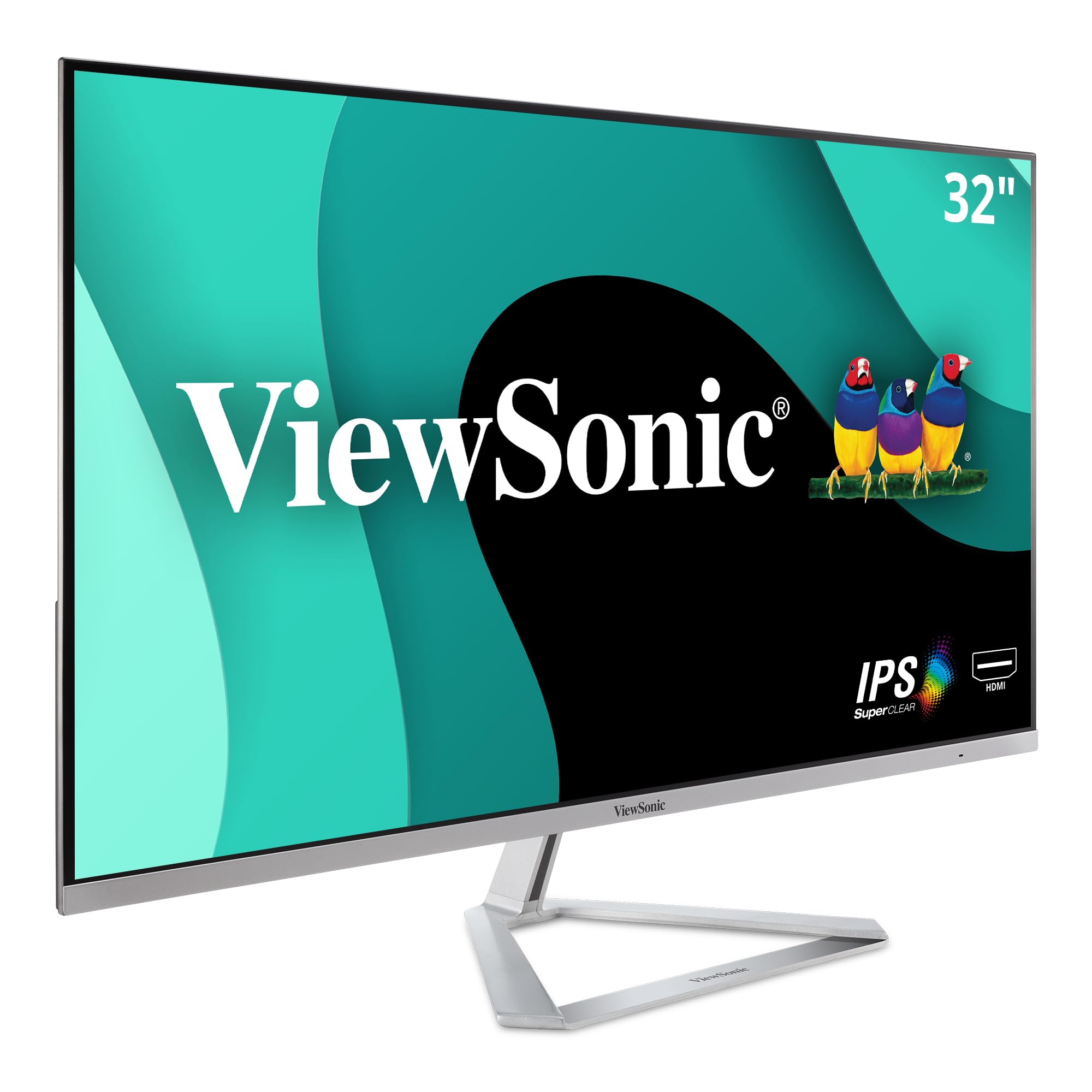
Review of the ViewSonic VX3276-MHD computer monitor, focusing on its features and use cases.
Why choosing computer monitors is difficult#
Selecting the right computer monitor involves balancing factors like size, resolution, connectivity, and intended use. Each model offers different trade-offs that may align with some users’ needs while falling short for others. For example, a larger screen can improve multitasking but might not be ideal for high-resolution tasks if it lacks sufficient pixel density.
Common buyer mistakes#
One common mistake is assuming all monitors perform similarly in terms of color accuracy and viewing angles. IPS panels like those on the ViewSonic VX3276-MHD provide better color reproduction than TN panels, but they may not be as fast for gaming or video editing. Another error is overlooking connectivity options—this monitor includes HDMI and DisplayPort, which are essential for many users, but others might need USB-C or Thunderbolt.
Real-world use and expectations#
In real-world scenarios, the ViewSonic VX3276-MHD excels in environments where multi-tasking and wide-screen viewing matter. Its screen split capability allows users to divide the display into sections for simultaneous tasks like video conferencing and document editing. However, its 1080p resolution may limit sharpness on a large screen, making it less suitable for graphic design or high-definition media consumption.
Where this product fits (strengths and weaknesses)#
The ViewSonic VX3276-MHD is well-suited for office workers who need a spacious display with minimal bezels for an immersive experience. Its ultra-thin bezels also make it a good fit for multi-monitor setups where alignment matters. On the downside, its 1080p resolution may not deliver enough detail for users working with high-resolution images or videos. Additionally, while the screen split feature is useful, it does not support advanced features like picture-in-picture on some competing models.
Who should avoid this product#
This monitor may not be ideal for professionals requiring 4K or higher resolutions, such as photographers, videographers, or designers working with detailed graphics. Gamers might also find the 1080p resolution and IPS panel’s response time insufficient for fast-paced games. Users who need a single high-resolution display without compromises should consider alternatives.
How it compares with alternative styles#
| Feature | ViewSonic VX3276-MHD | High-Resolution Monitor (e.g., 4K) | Gaming-Focused Monitor |
|---|---|---|---|
| Resolution | 1080p | 4K or higher | 1080p or higher |
| Panel Type | IPS | IPS or VA | TN or IPS |
| Connectivity | HDMI, DisplayPort | HDMI, USB-C, Thunderbolt | HDMI, DisplayPort, USB-C |
| Best For | Multi-tasking, office use | High-detail work, media consumption | Fast-paced gaming |
Care and long-term ownership#
Proper care can extend the life of any monitor. Avoid exposing it to direct sunlight or extreme temperatures, as these conditions may affect screen longevity. Regularly cleaning the display with a microfiber cloth helps maintain clarity without damaging the surface. Since this model does not specify warranty details, users should check manufacturer support policies for long-term reliability.
Frequently asked questions#
What is the resolution of the ViewSonic VX3276-MHD?#
The monitor has a 1080p (Full HD) resolution, which provides decent clarity but may lack sharpness on a large screen compared to higher-resolution models.
Does it support multi-monitor setups?#
Yes, its ultra-thin bezels and standard connectivity options make it suitable for use in multi-monitor configurations where alignment is important.
Can I split the screen into multiple sections?#
The monitor includes a screen split capability that allows users to divide the display into separate sections for simultaneous tasks.
Is this monitor good for gaming?#
It may not be ideal for high-performance gaming due to its 1080p resolution and IPS panel, which typically has slower response times compared to TN panels used in many gaming monitors.